Creating courses
Where: Menu → Teach → Courses
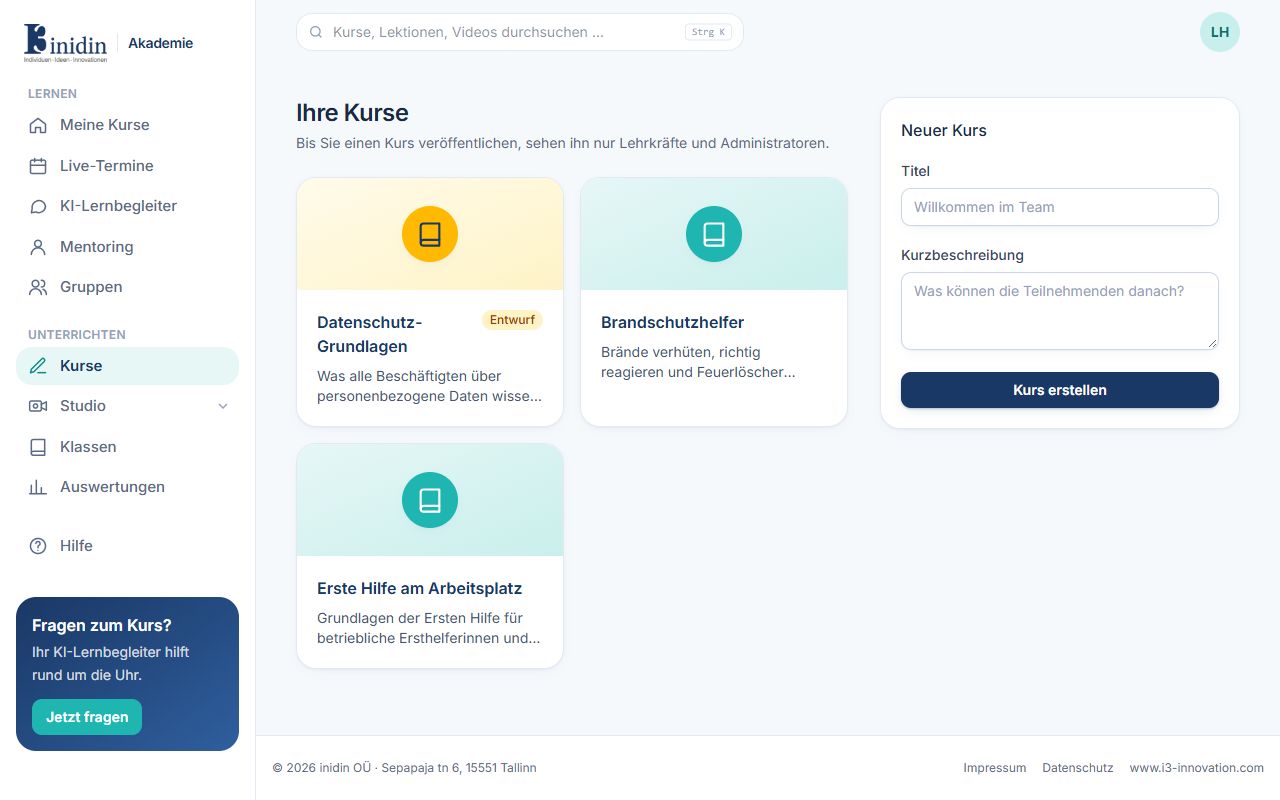
The list shows every course with its status. Until you publish a course, only trainers and administrators see it.
How to
Section titled “How to”- Under “New course”, enter a title and a short description.
- Click “Create course”. The course editor opens.
Fields and buttons
Section titled “Fields and buttons”- Title: The course name learners see.
- Short description: One or two sentences on what it’s about. Shown in course lists and the catalog.
- Draft / Published: Drafts are seen by trainers only; published courses by everyone with access.