A course
Where: My courses → click a course
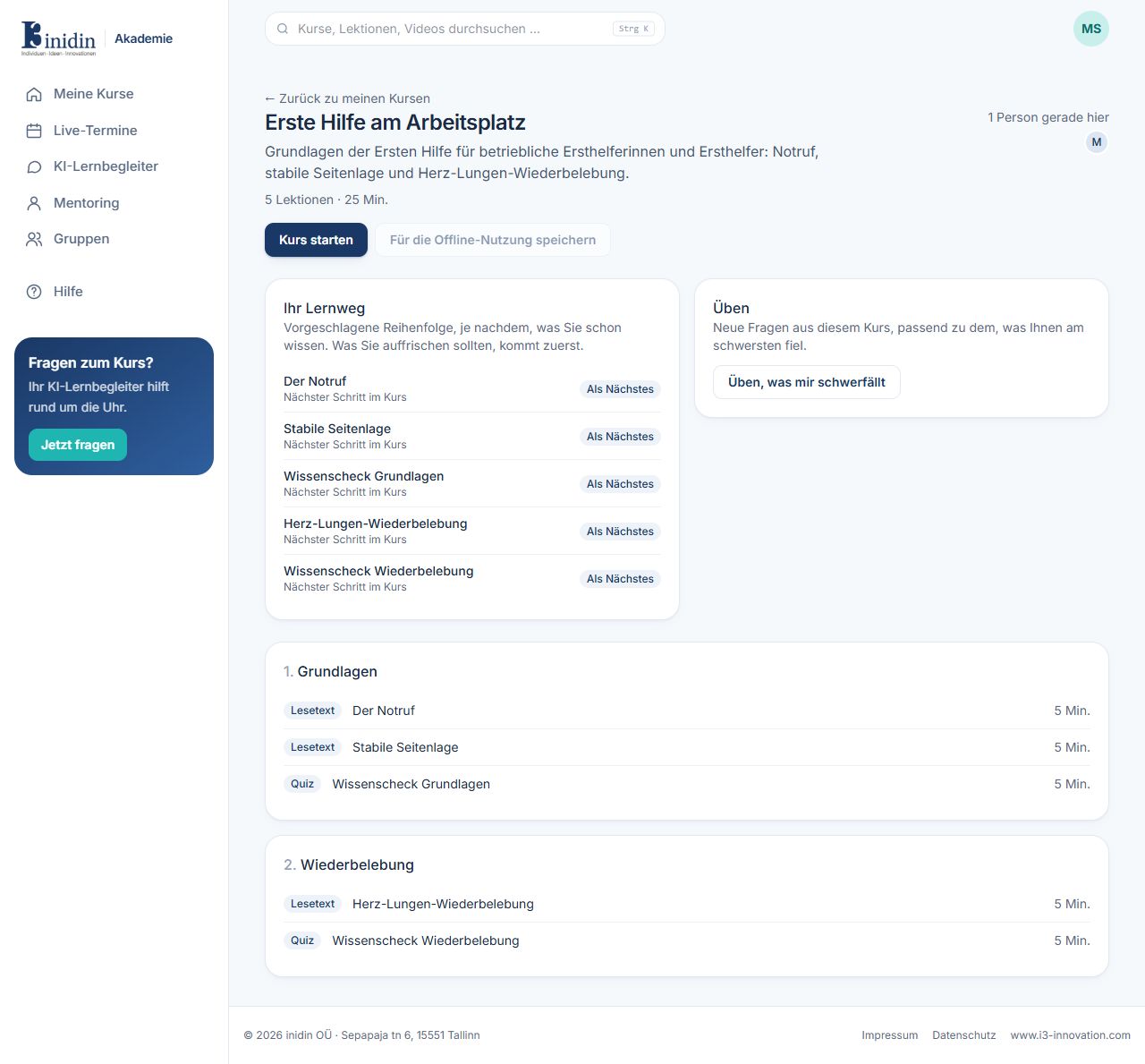
The course page shows the description, length and every section with its lessons. “Your learning path” suggests an order: what you should brush up on comes first.
Fields and buttons
Section titled “Fields and buttons”- Start course / Continue: Opens the next open lesson.
- Save for offline use: Keeps the course’s texts on your device. Your progress is sent once you’re online again.
- Your learning path: Suggested order, adjusted to your answers so far.
- Practise what I find hard: New practice questions on the topics you’re least sure about.
- Sections and lessons: Each lesson shows its kind (reading, video, quiz, presentation, whiteboard, coding exercise) and length. Finished lessons are ticked.