My account
Where: Your picture, top right → Profile
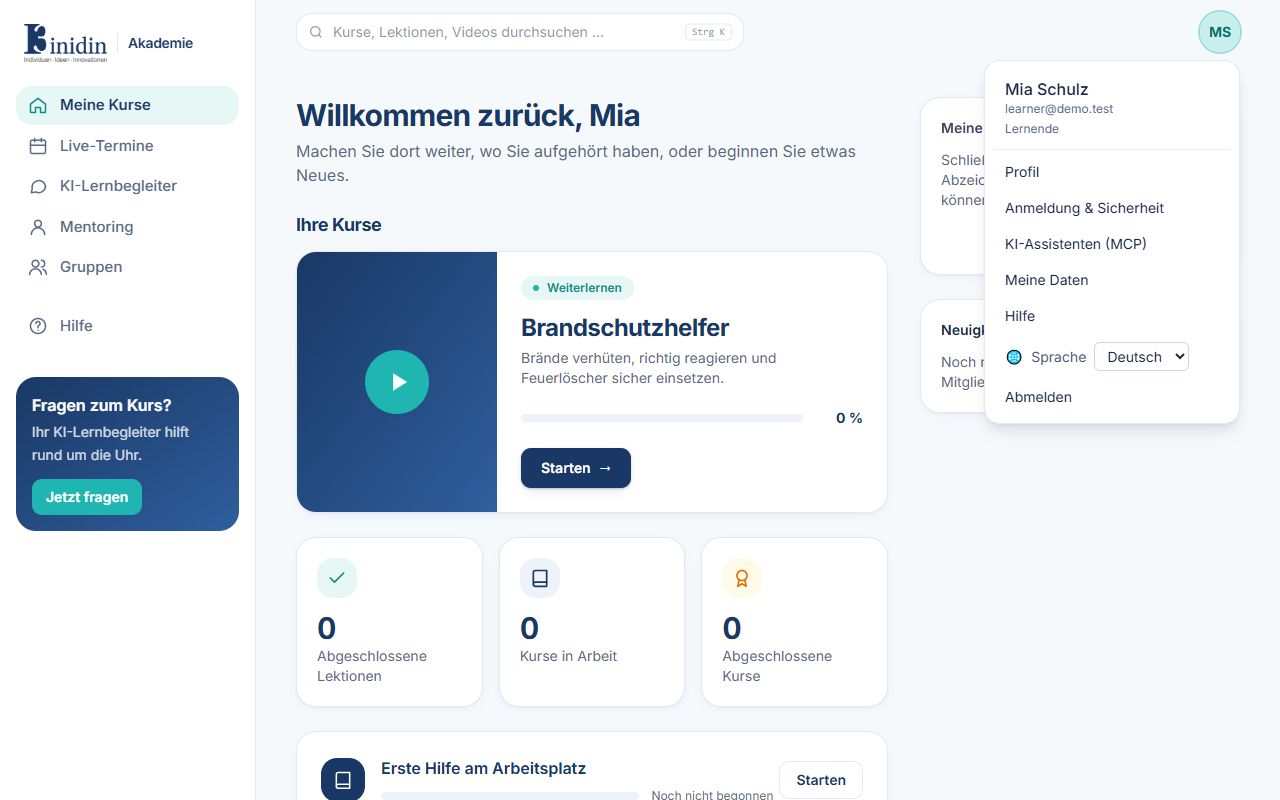
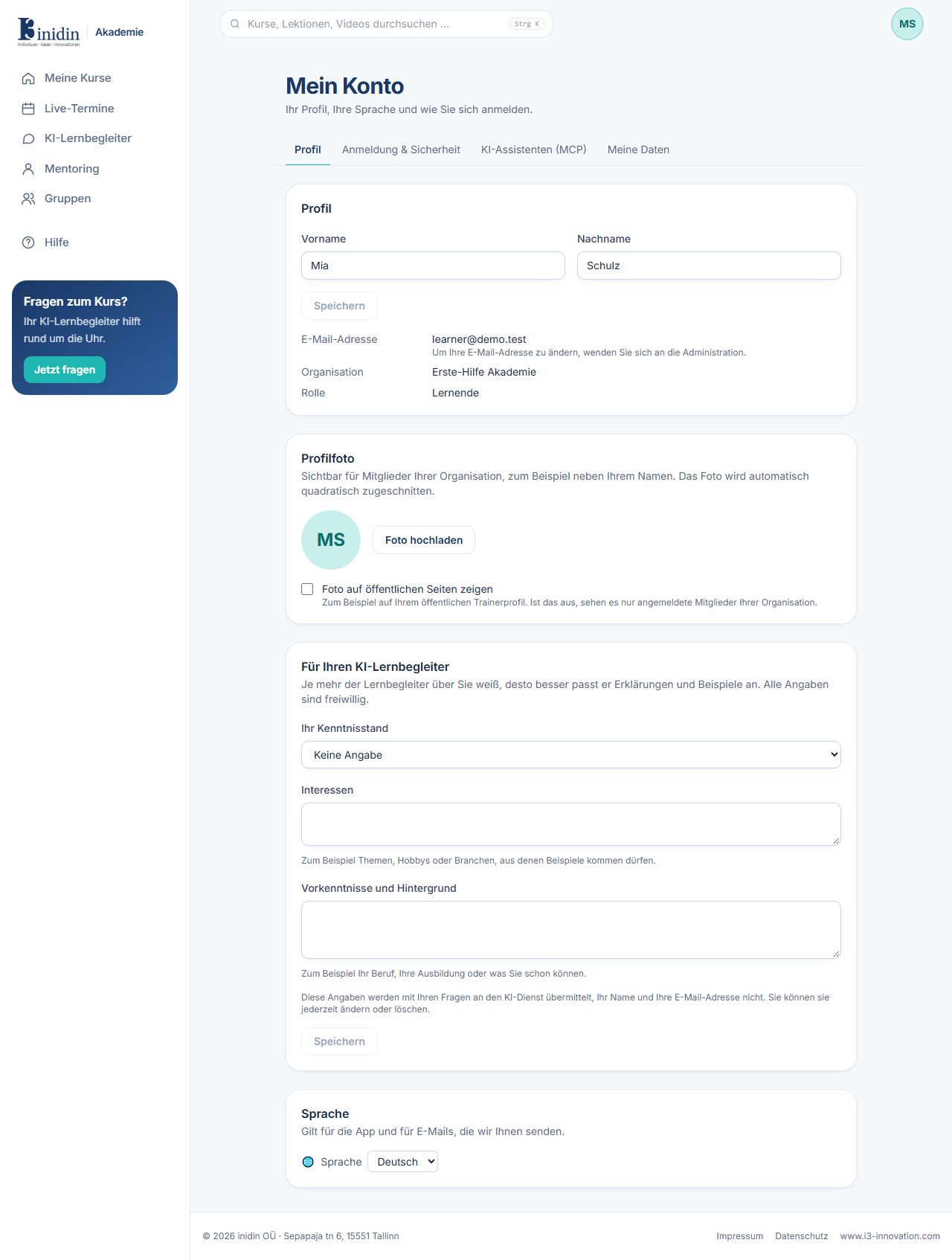
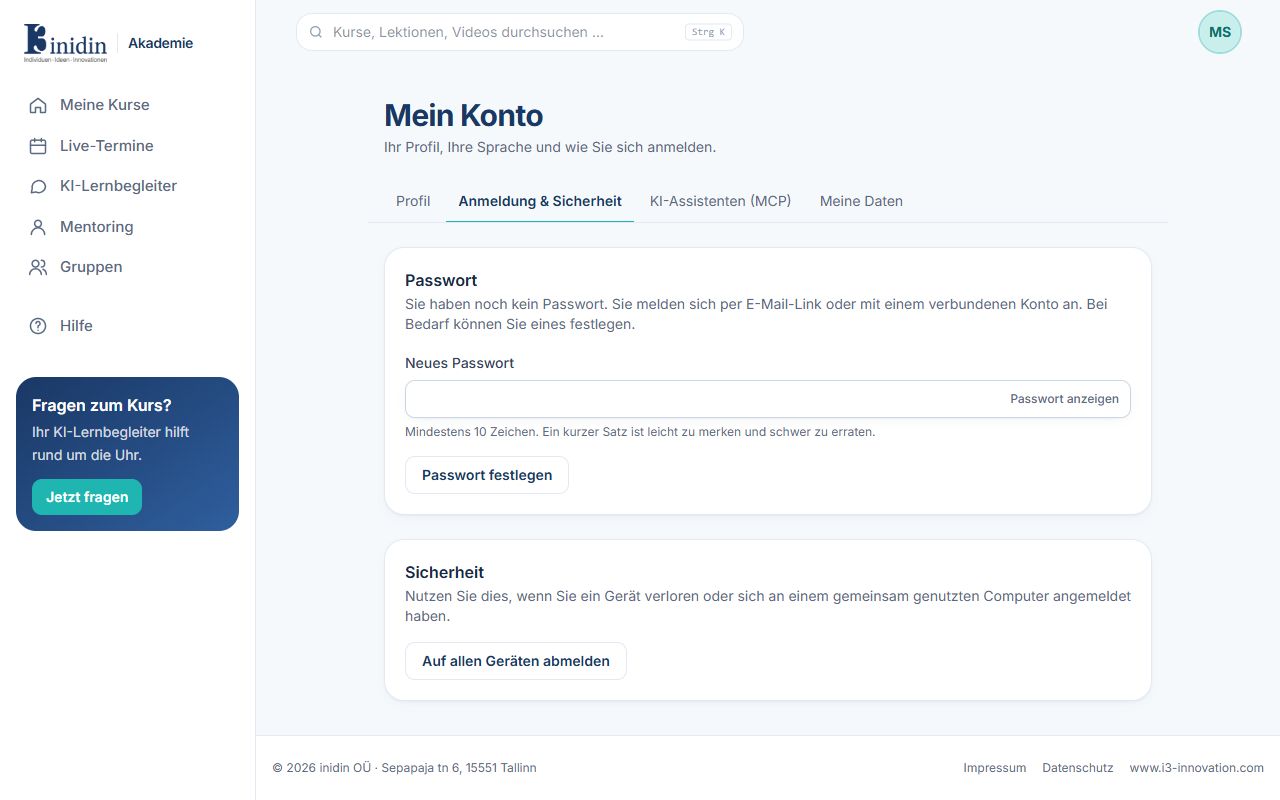
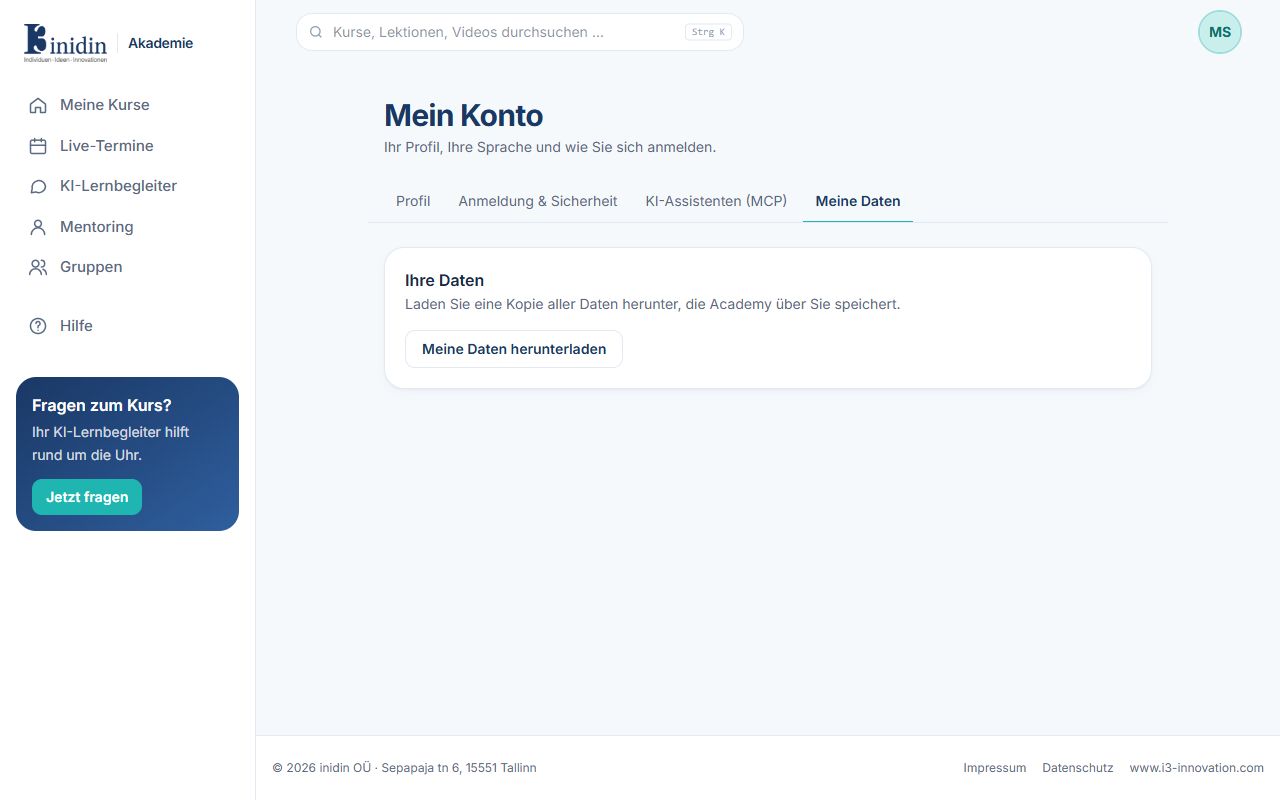
Under My account you set up your profile, sign-in, AI assistants and your data. Reach the four areas from the account menu or the tabs at the top.
Fields and buttons
Section titled “Fields and buttons”- Profile → First name, last name: How your name appears. Your e-mail address is changed by an administrator.
- Profile → Profile photo: A picture shown next to your name, cropped square automatically.
- Profile → For your AI learning companion: Level, interests and background. Optional; helps the companion explain at the right level. Your name and e-mail are not sent to the AI service.
- Profile → Language: Language of the app and of the e-mails you get.
- Sign-in & security → Password: Set or change a password (at least 10 characters). Without one you sign in by e-mail link or a connected account.
- Sign-in & security → Sign out everywhere: If you lost a device or signed in on someone else’s computer.
- AI assistants (MCP): Access tokens that let an AI assistant such as Claude use the Academy for you. See “Connecting AI assistants”.
- My data → Download my data: A copy of everything the Academy stores about you.