Sales & payments
Where: Menu → Finances → Sales & payments
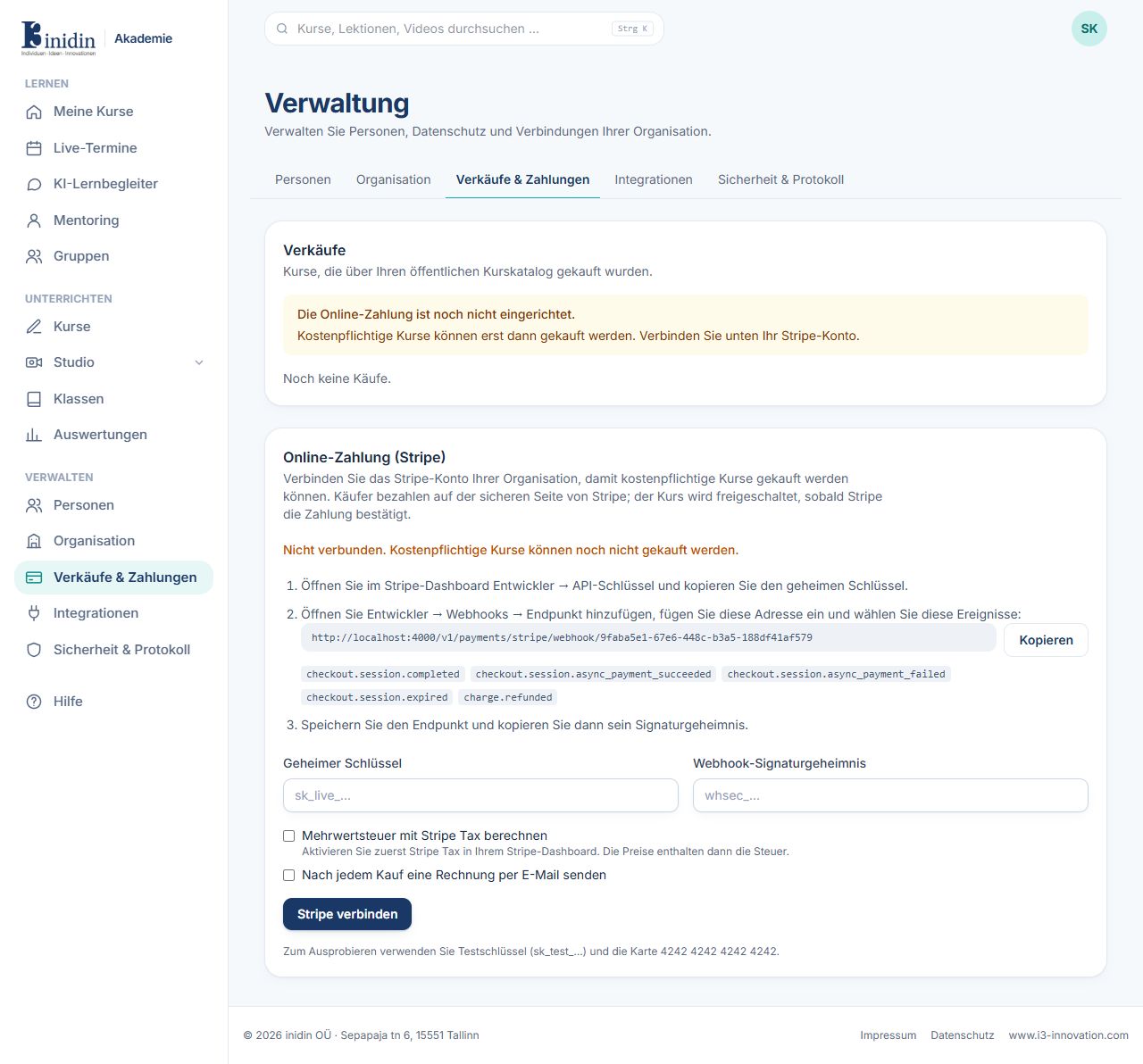
At the top are all purchases from your public catalog; below, you connect your Stripe account. Buyers pay on Stripe’s secure page; the course unlocks once Stripe confirms the payment.
How to
Section titled “How to”- In the Stripe dashboard, copy the secret key under Developers → API keys.
- Under Developers → Webhooks, add an endpoint with the address and events shown, and copy its signing secret.
- Enter both and click “Connect Stripe”.
- In the course editor, under Settings → Access & sales, choose “Anyone (public)” and a price.
Fields and buttons
Section titled “Fields and buttons”- Secret key: sk_live_… (or sk_test_… to try it out).
- Webhook signing secret: whsec_… of the webhook endpoint.
- Add VAT with Stripe Tax: Activate it in Stripe first; prices then include tax.
- E-mail an invoice after each purchase: Stripe sends the invoice to the buyer.