Inviting someone
Where: People → “Invite people”
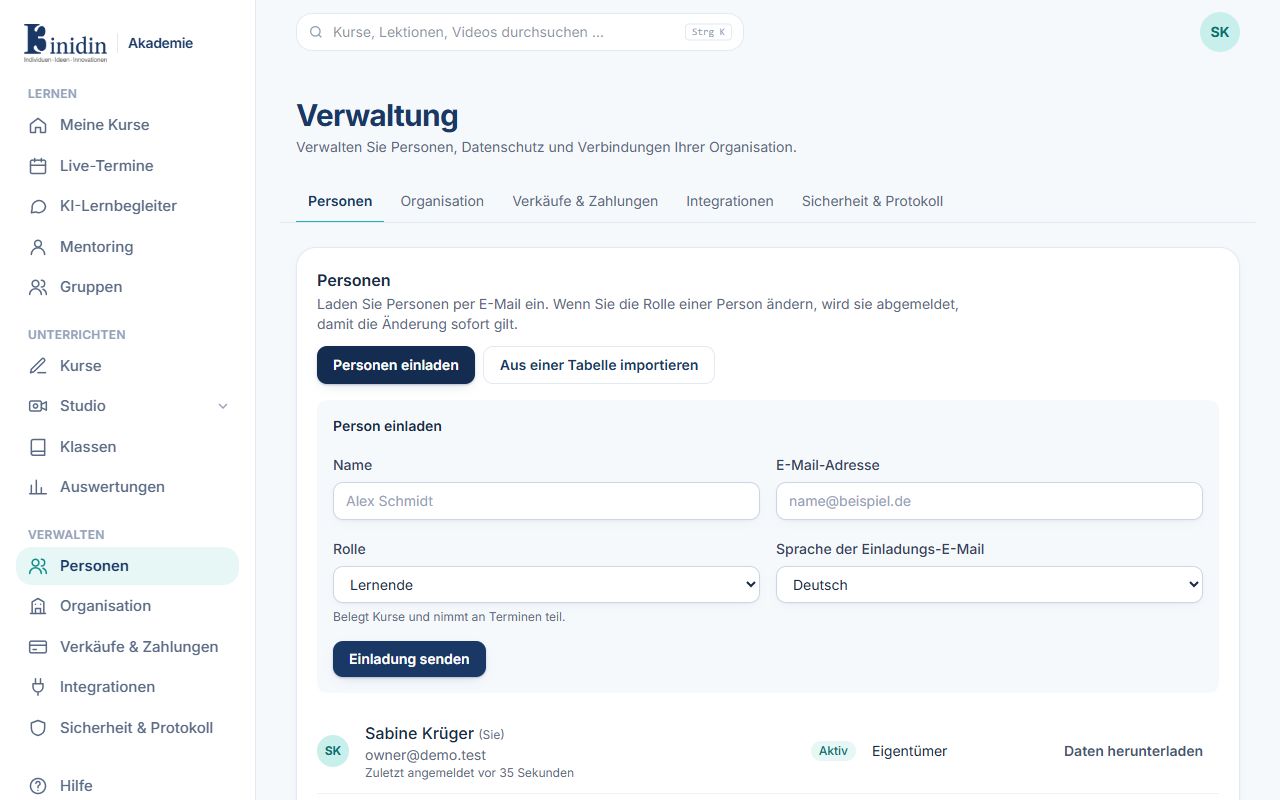
The person gets an e-mail with a sign-in link. They show as “Invited” until they first sign in; then the welcome wizard greets them.
Fields and buttons
Section titled “Fields and buttons”- Name: First and last name, e.g. “Alex Schmidt”.
- E-mail address: Where the invitation goes; the person signs in with it later.
- Role: Learner, trainer or administrator. Below the field it says what the role may do.
- Language of the invitation e-mail: Which language the invitation is sent in.
- Send invitation: Sends the invitation.